OpenSourceGen
Qwen Image 2.1: 7B Model for Generation and Editing
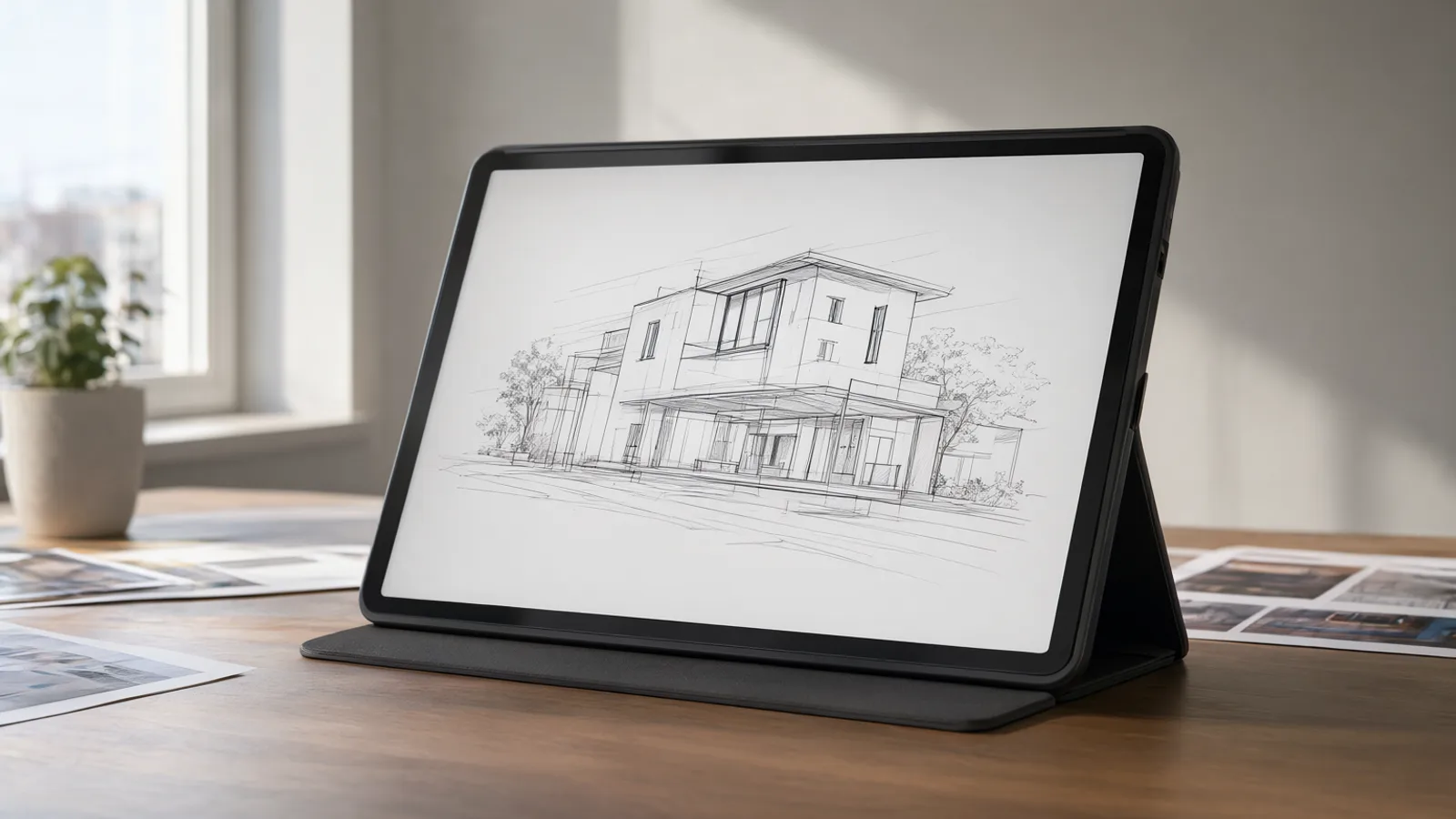
Show the prompt
A clean studio workspace with a single matte black tablet displaying a crisp architectural line drawing on its screen. Soft diffused daylight enters from a large window on the left, casting gentle shadows across a wooden desk holding a few reference photos and a small potted plant. The scene is shot from a low three-quarter angle, wide landscape framing, realistic photographic style, shallow depth of field, neutral color palette.
Qwen Image 2.1 is a single 7B-parameter checkpoint that performs both text-to-image generation and instruction-based editing. Released 20 September 2026 under the Qwen Research License, it runs at native resolutions up to 2752 px with a 40-step Flow Matching schedule. The model ships with a 64-channel RGBA VAE and supports up to ten reference images plus prefix KV cache reuse. OpenSourceGen runs it as the default image model in Create Image and Edit Image.
Qwen Image 2.1 release date and overview
Qwen Image 2.1 was released on 20 September 2026. The model contains a 7B-parameter visual generation component.
The checkpoint unifies text-to-image generation and instruction-based editing in a single file. Earlier open Qwen image models required separate checkpoints for each task.
- Release date: 20 September 2026 (model card)
- Parameter count: 7B in the DiT component
- Prior model: Qwen-Image-2512 at 20B parameters under Apache 2.0 (DataNorth release notes)
- Benchmark: 60.28 on Qwen-Image-Bench, ahead of FLUX 2 Max at 55.33 (DataNorth release notes)
The previous 20B model carried a permissive Apache 2.0 licence. Qwen Image 2.1 switches to the Qwen Research License, which restricts use to non-commercial and research purposes.
Users often overlook the licence change and assume the new model inherits the same terms as the 20B checkpoint. The unified design removes the need to load two separate models for generation and editing workflows.
7B DiT architecture and core components
Qwen Image 2.1 packs its visual generation into a 7B-parameter DiT backbone. The model card states this component contains exactly 32 Single-Stream DiT layers.
Core components
- Text encoder: Qwen3-VL 8B, which processes the prompt before it reaches the DiT.
- VAE: 64-channel RGBA model with 16x spatial compression that natively outputs transparency.
- Scheduler: Flow Matching with Euler discrete steps and dynamic shifting.
Prefix KV cache reuse is the key efficiency feature listed in the release notes. The cache stores the encoded text and any reference images once, then reuses those keys and values across every denoising step instead of recomputing them.
from diffusers import QwenImage21Pipeline
pipe = QwenImage21Pipeline.from_pretrained("Qwen/Qwen-Image-2.1")
pipe.enable_model_cpu_offload()
Users who skip the cache reuse setting waste compute on repeated text encoding. The 16x VAE compression keeps memory low while preserving fine detail and alpha channels. The same 7B DiT weights handle both generation and editing because the architecture treats reference images as additional conditioning tokens.
Generate images or run multi-reference edits with the default 7B model and full settings exposed.Create Image →
Qwen Research License terms and restrictions
Qwen Image 2.1 ships under the Qwen Research License Agreement. The model card states the license permits non-commercial and research use only. Any commercial deployment requires a separate license obtained directly from Alibaba.
The agreement restricts redistribution, modification for commercial products, and any revenue-generating service built on the weights. You must review the full text on the model card before integrating the checkpoint into production pipelines or paid applications. Violations can lead to license revocation.
In contrast, the prior Qwen-Image-2512 release carried an Apache 2.0 license that allowed broader commercial reuse without additional permission. The shift to the research-only terms limits open-source adoption for businesses that previously relied on the 20B model.
- Confirm your intended use falls within research or non-commercial bounds before downloading weights.
- Contact Alibaba for commercial licensing if you plan to offer generation services or embed the model in paid software.
- Keep the license file with any local copies or fine-tuned derivatives you distribute.
Check the exact wording in the model card before proceeding with any workflow that might cross into commercial territory.
Default inference settings and native resolutions
Qwen Image 2.1 ships with a fixed inference recipe that matches its training schedule.
The recommended defaults are 40 steps, 2048×2048 resolution, bfloat16 precision and the QwenImage21Pipeline class in Diffusers Qwen release page. These values produce the benchmark results reported on Qwen-Image-Bench.
Supported native aspect ratios
Use the following presets to avoid upscaling artifacts:
- 1:1 — 2048×2048
- 16:9 — 2752×1536
- 9:16 — 1536×2752
Additional ratios reach a maximum linear dimension of roughly 2.75 K. The pipeline automatically selects the closest preset when you supply width and height.
Prompt-rewriting helpers
Two auxiliary models, PE-T2I and PE-I2I, both based on Qwen3.5-VL 9B, expand terse prompts and recommend the best native aspect ratio for the subject DataNorth release notes. Run them once before the main generation step.
A common error is changing the step count or scheduler without also adjusting the shift parameter; the Flow Matching schedule expects the published 40-step, Euler-discrete combination to stay aligned with the training distribution.
Fastest way to try Qwen Image 2.1
OpenSourceGen runs Qwen Image 2.1 as the default model for text-to-image and instruction-based editing.
Visit Create Image. Type a prompt, choose an aspect ratio from the presets (1:1 at 2048 px or 16:9 at 2752×1536), and generate. No account is required for the first generations.
For editing with multiple references:
- Go to Edit Image.
- Upload the base image as the first reference.
- Add up to nine additional images.
- Describe the change in natural language; the output keeps the first image's aspect ratio.
Quick settings to start
- Steps: 40 (default Flow Matching schedule)
- Resolution: native presets up to 2752 px
- Precision: bfloat16
These match the values published for QwenImage21Pipeline.
People often skip the reference-image limit and upload more than ten files; the interface caps at ten and ignores extras. The same page also exposes the prompt-rewriting helper that expands short text before inference.
If you later run the model locally, the Diffusers pipeline and ComfyUI nodes accept the same checkpoint and settings.
Text-to-image prompting and RGBA transparency template
Qwen Image 2.1 responds best to direct scene descriptions that specify subject, lighting, composition and style in one sentence. Short prompts still work because the bundled PE-T2I model (Qwen3.5-VL 9B) rewrites them before generation and suggests a matching aspect ratio.
Standard text-to-image prompt
Type a plain description. The model improves typography, portrait lighting and fine detail over the earlier 20B checkpoint.
RGBA transparency template
For transparent output use this exact prefix:
This is an RGBA image with transparency. [subject]. The image has alpha channel and the background is transparent.Replace [subject] with your description. The 64-channel VAE reads the alpha channel directly, so the generated PNG keeps clean transparency without post-processing.
Common mistakes
- Adding “transparent background” at the end instead of the full template often produces a white background.
- Omitting the prefix when editing an existing transparent image can overwrite the alpha channel.
- Using very long prompts without the PE-T2I expander leads to ignored details; let the rewriter expand first, then edit the result if needed.
Test the template on the Create Image page to verify the alpha channel before using the same prompt in an editing workflow.
Image editing with up to 10 references and local controls
Qwen Image 2.1 accepts up to ten reference images in a single edit pass. The first reference sets the output aspect ratio and base composition; the remaining nine supply additional subjects, styles or textures that the model blends according to the text instruction.
Step-by-step multi-reference edit
- Upload the primary image first, followed by up to nine supporting references.
- Write a natural-language prompt that names the changes and which references to draw from.
- Submit; the pipeline returns a new image that respects the first reference's dimensions.
OpenSourceGen's Edit Image implements this workflow directly with Qwen Image 2.1 as the default model. For simple object removal without a full prompt, use the companion Erase Objects tool, which applies the same underlying checkpoint to rebuild only the brushed area.
Common prompt pattern
Replace the background with a mountain lake at dusk. Keep the person from reference 1, the jacket from reference 2, and the lighting style from reference 3. Mask the lower third to preserve the original foreground.The model follows the first image's native resolution preset. Users who reverse the reference order often receive unexpected crops; always place the composition anchor first. Prefix KV caching reuses the text and reference encodings across denoising steps, keeping multi-reference edits efficient on the same hardware used for single-image generation.
Hardware requirements, VRAM offload and local setup
Qwen Image 2.1 runs on consumer GPUs with the right memory settings. No official VRAM figure exists, yet the model supports several inference frameworks released on day one.
Supported frameworks
The model ships with day-one support in Diffusers, ComfyUI, vLLM-Omni, SGLang and LightX2V. ComfyUI users can download quantized int8 and w4a8 variants from the Comfy-Org repository.
VRAM reduction
Enable model CPU offload when GPU memory is limited. The setting moves unused layers to system RAM between steps and keeps only the active layer on the GPU.
- Load the pipeline with
QwenImage21Pipeline.from_pretrained. - Call
pipe.enable_model_cpu_offload()before generation. - Run inference at the chosen resolution and step count.
This approach trades speed for lower peak VRAM. Prefix KV cache reuse further reduces repeated text and reference encoding across the 40 denoising steps.
Faster checkpoint
The separate Qwen-Image-2.1-Turbo release provides an 8-step accelerated checkpoint of the same 7B architecture. It follows the identical offload and quantization paths.
from diffusers import QwenImage21Pipeline
pipe = QwenImage21Pipeline.from_pretrained(
 "Qwen/Qwen-Image-2.1", torch_dtype=torch.bfloat16
)
pipe.enable_model_cpu_offload()
ComfyUI workflows load the safetensors file directly and expose the same offload toggle plus quantized nodes for even lower memory use.
Strengths, limitations and comparison to alternatives
Qwen Image 2.1 improves typography accuracy, portrait lighting and fine detail rendering compared with the prior 20B Qwen-Image-2512 model. the model card It also leads listed open-weight models on Qwen-Image-Bench at 60.28, ahead of FLUX 2 Max at 55.33. Qwen-Image-2.1 release notes
Strengths
- Single 7B checkpoint handles both text-to-image and multi-reference editing without switching models.
- Native 64-channel RGBA VAE produces transparent output directly when the prompt template is used.
- Prefix KV cache reuse and Flow Matching Euler scheduler keep inference efficient at the 40-step default.
Limitations
- Qwen Research License restricts the model to non-commercial and research use only; commercial work requires a separate license from Alibaba.
- No official VRAM figure is published, so users must test enable_model_cpu_offload() on lower-memory GPUs.
- The 7B size still needs 40 steps for peak quality; the separate 8-step Turbo checkpoint trades some fidelity for speed.
When to choose it
Pick Qwen Image 2.1 over the previous Apache-2.0 20B model when you need the newer benchmark scores, native transparency and up-to-10-reference editing in one checkpoint. Use the Turbo variant when step count matters more than maximum detail. The license difference means the older model remains the only option for many commercial pipelines.
Frequently asked questions
What license does Qwen Image 2.1 use?
It is released under the Qwen Research License Agreement, which permits only non-commercial and research use. A separate commercial license must be obtained from Alibaba.
How many reference images can Qwen Image 2.1 use for editing?
The model accepts up to ten reference images in a single edit. Local edits are performed with circles, painted annotations or separate masks while the output respects the first image's aspect ratio.
What are the default inference settings for Qwen Image 2.1?
The published defaults are 40 steps, 2048x2048 resolution, bfloat16 precision and the Flow Matching Euler discrete scheduler inside the QwenImage21Pipeline.
Does Qwen Image 2.1 support transparent backgrounds?
Yes. The 64-channel RGBA VAE produces native transparency when the prompt includes the exact template: "This is an RGBA image with transparency. [subject]. The image has alpha channel and the background is transparent."
Try Qwen Image 2.1 on OpenSourceGen
Generate images or run multi-reference edits with the default 7B model and full settings exposed.
Open Create ImageSources
- Qwen/Qwen-Image-2.1 · Hugging Face
- Alibaba Qwen Releases Qwen-Image-2.1: A 7B Open-Weight Model for Image Generation and Editing - MarkTechPost
- Qwen-Image-2.1 release: Qwen's 7B open-weights image model - DataNorth
- Alibaba Qwen Releases Qwen-Image-2.1-Turbo, an 8-Step 7B Image Model - MarkTechPost
- Qwen-Image-2.1 · Models - ModelScope (Comfy-Org)
Researched and drafted with AI assistance by the OpenSourceGen team's editorial pipeline, from the sources listed above. Model licences, prices and versions change — check the linked pages before relying on them. Spotted a mistake? Tell us on Discord.